Maple vs. Domio
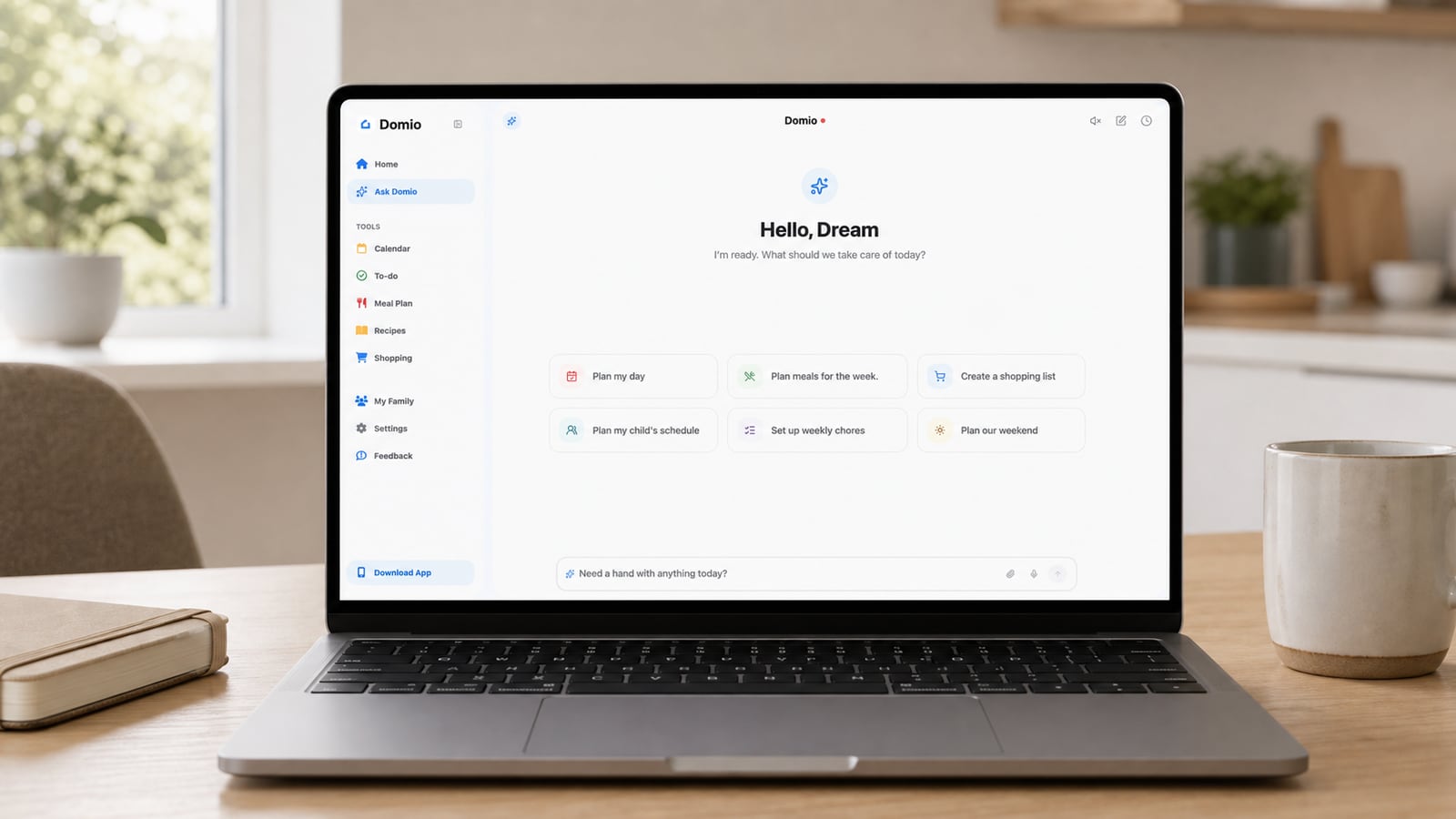
At a glance
Maple and Domio are both AI family assistants for parents who are tired of keeping the household plan in their heads.
Maple now combines a Daily Brief, gap detection, routines, a family inbox, projects, meals, and multi-format capture. Domio emphasizes conflict-aware coordination and what schedule changes mean for tasks, meals, reminders, and caregiver handoffs.
Conflict-aware planning vs. a broad AI organizer

Domio
AI family coordination
Domio is built for the moments when a family plan changes after it has been entered. It surfaces conflicts and connects events with meals, tasks, reminders, and caregiver handoffs.
Its email, file, and photo inputs reduce retyping, while its shared plan keeps the resulting actions visible across mobile and web.

Maple
AI family assistant
Maple is now positioned as an AI family assistant rather than only a folder-style organizer. It combines calendars, tasks, meals, grocery lists, household projects, and a family email address.
Its current tools include a Daily Brief, schedule-gap detection, routines, and AI capture from email, photos, files, PDFs, and links. Free and paid tiers differ in ads, AI credits, and expanded features.
Core capabilities
Swipe horizontally to compare →
| Capability | Domio | Maple |
|---|---|---|
| AI-powered family coordination | Yes | Yes |
| Schedule gap or conflict detection | Yes | Yes |
| Email, photo, and file understanding | Yes | Yes |
| Caregiver handoff coordination | Yes | No |
| Dedicated family inbox | No | Yes |
| Meal and grocery planning | Yes | Yes |
How each product works
| Workflow | Domio | Maple |
|---|---|---|
| Agent model | An AI family agent centered on the live week, the consequences of change, and caregiver handoffs. | A broad AI family assistant spanning calendars, lists, household projects, routines, meals, and email. |
| When information arrives | Interprets email, photos, and files and connects them to schedules, reminders, family roles, and next steps. | Turns family email, photos, files, PDFs, and links into organized items across the household system. |
| When the system detects trouble | Explains the conflict, identifies affected plans and people, and proposes connected actions. | Uses Daily Briefs, schedule-gap detection, routines, and AI-generated actions to surface work. |
| How follow-through is organized | Carries decisions into meals, tasks, reminders, groceries, and caregiver handoffs in the same family context. | Carries actions into projects, routines, meal tools, grocery lists, and the shared family inbox. |
| Signature strength | Cross-plan reasoning and clear handoffs when the live family week changes. | A broad family operating system with a dedicated inbox, projects, and routines. |
| Best fit | Families prioritizing conflict-aware planning and caregiver coordination. | Families wanting a broad AI organizer with strong household inbox and project workflows. |
Which one fits your family?
Maple may fit families that want a broad AI operating system with a Daily Brief, family email, routines, project folders, meals, groceries, and flexible capture.
Domio may fit families that want an AI assistant focused on interpreting schedule changes and connecting them with household tasks, meals, reminders, and handoffs.
Compare two direct alternatives by workflow, not by category: Maple organizes a wide family workspace, while Domio emphasizes conflicts, downstream effects, and coordinated handoffs.
Forward the same school email, import the same PDF, plan three dinners, and move one pickup in both products. Compare which assistant produces fewer corrections and makes the changed responsibilities clearest to everyone involved.
Frequently asked questions
How do I choose between Maple and Domio?
Both products address more than calendars. Choose Maple if its shared family inbox, project folders, routines, and Daily Brief match how you organize. Choose Domio if conflict-aware weekly planning and caregiver handoffs are the center of the problem.
Can my family use Maple and Domio together?
Because both aim to become the family planning hub, using both in parallel is likely to duplicate tasks and updates. A short side-by-side trial with the same school email, meal plan, and changed event will reveal which workflow feels lighter.
What costs or requirements should I compare for Maple?
Maple advertises a free tier with ads and monthly AI credits, with paid tiers expanding access. Compare current plan limits, supported devices, and the amount of AI usage your family actually needs with Domio at signup.
What is the main difference between Maple and Domio?
Maple presents a broad AI-powered family operating system. Domio places more emphasis on reading the live week, detecting conflicts, and coordinating the downstream effects of change.